

D-Robotics RDK X5 Development Board – 4GB
SGD $109.00
D-Robotics RDK X5 Development Board, Powered by Sunrise 5 Chip, Octa-core Cortex A55 Processor, 10 TOPS Computing Power, Options For 4GB RAM.
Out of stock
Simple and Easy-to-Use
Powered by the 10 TOPS Sunrise 5 chip, the D-Robotics RDK X5 is an all-in-one development kit for intelligent computing and robotics. With versatile interfaces and support for advanced models like Transformer, RWKV, Occupancy, and Stereo Perception, it accelerates the deployment of cutting-edge AI applications.
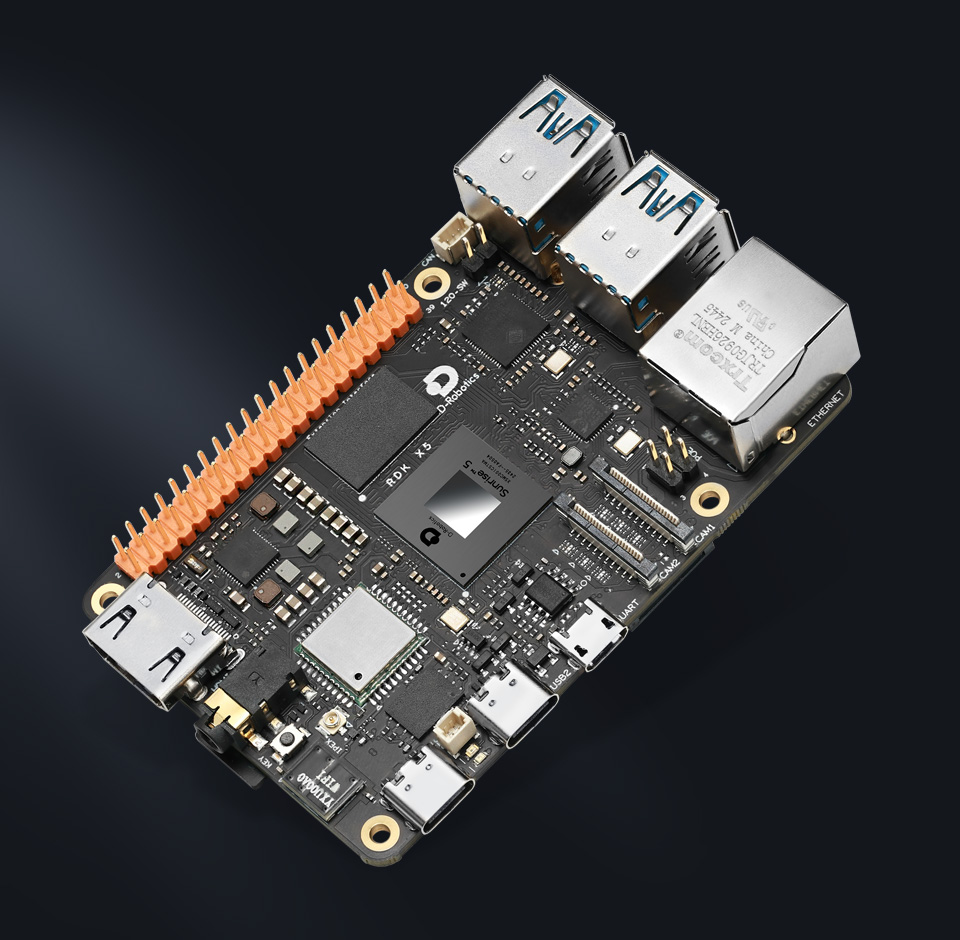
| CPU | Octa-core Cortex A55 |
|---|---|
| BPU | 10 TOPS |
| RAM | Options for 4GB / 8GB |
| Storage | Onboard 1G bit NAND |
| With TF card slot, supports UHS-I mode | |
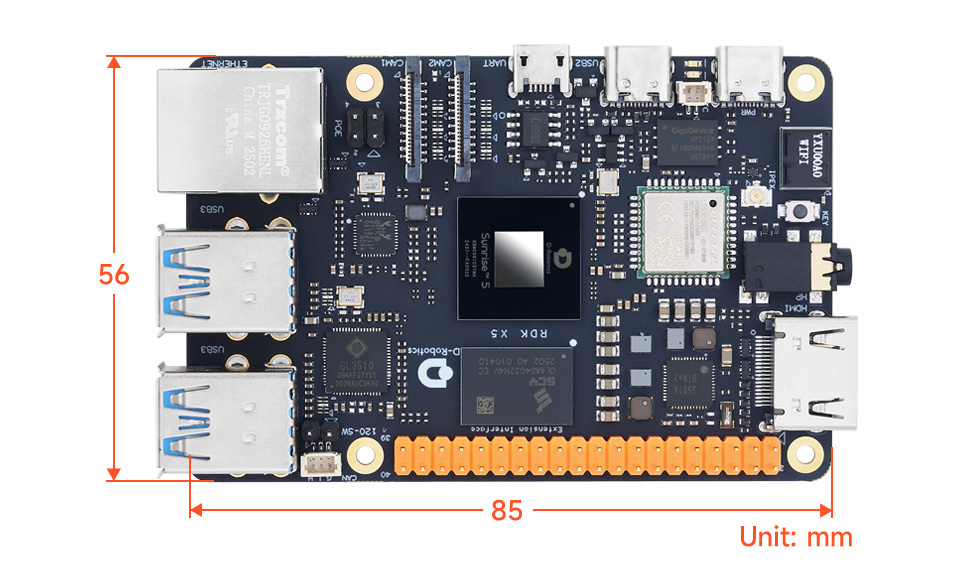
| Connectivity | 4 × USB 3.0 Host Type-A |
| 1 × USB 2.0 Device Type-C | |
| 1 × USB 2.0 UART Micro-B | |
| 1 × CAN FD | |
| 40 PIN header, onboard 28 GPIOs, 3.3V logic level, supports protocols such as SPI、I2C、I2S、PWM、UART, etc | |
| Display | 1 × 4-lane MIPI DSI interface, supports MIPI V1.2 protocol |
| 1 x HDMI Type-A interface, up to 1080P/60fps | |
| Camera | 2 × 4-lane MIPI CSI interface, supports MIPI V2.1 protocol |
| Audio | Onboard 3.5mm standard audio jack with input and output support |
| Network Comm | 1 x RJ45 interface, supports 1000M Ethernet and PoE |
| 2.4/5GHz dual-band wireless LAN, supports Wi-Fi 6 protocol | |
| Supports Bluetooth 5.4 protocol | |
| Onboard high-performance antenna and IPEX connector | |
| Power | 5V/5A DC power input, Type-C connector |
| Provides external power supply capabilities of 5V / 3.3V on 40PIN header | |
| Operating Temperature | -20°C ~ 60°C |
| Dimensions | 85 × 56 × 20 (mm) |

High cost-effective intelligent computing platform
- Supports deployment of large models such as Transformer, RWKV, and CLIP on the edge to empower robots with advanced intelligence
- Natively supports the Volcano Engine’s LLM Gateway with free traffic included, exploring the deep intelligence of robots through the end-cloud integration models
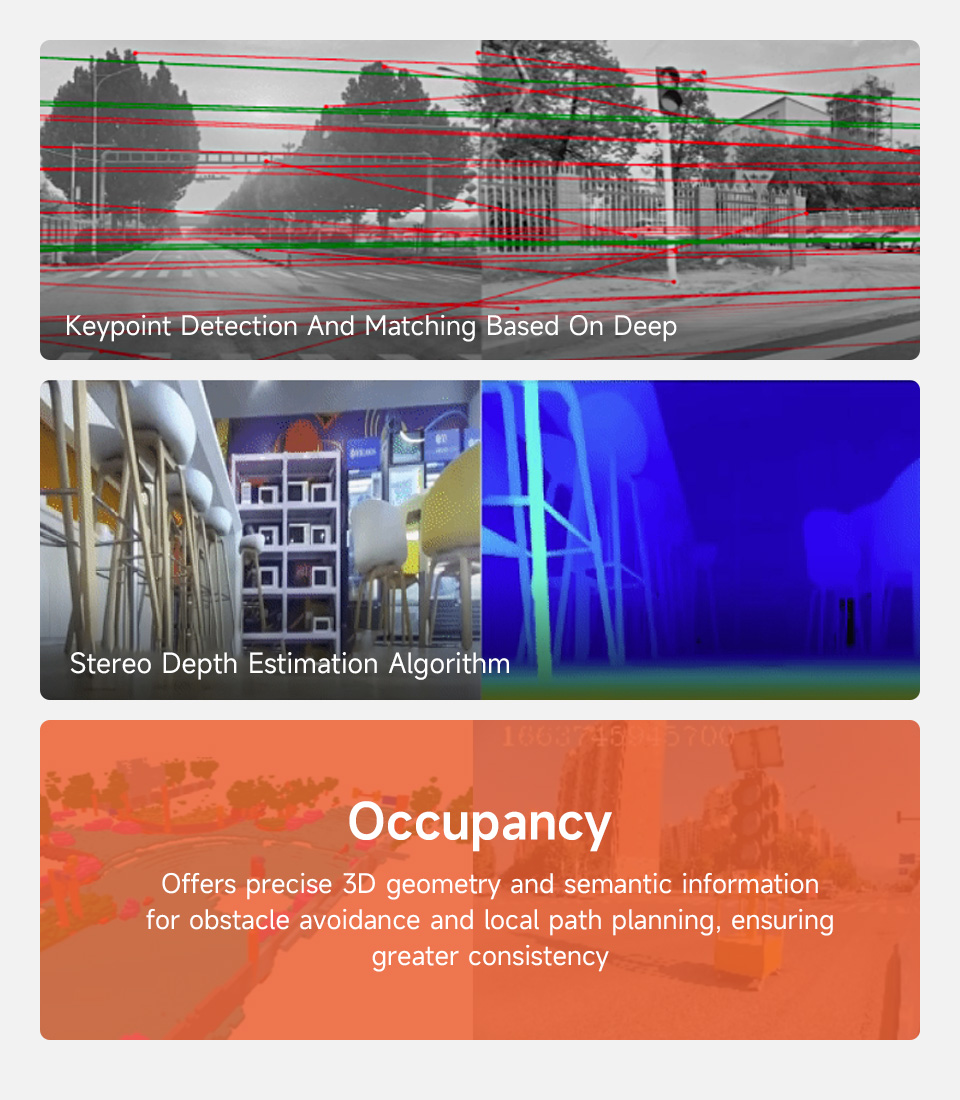
- Provides dedicated and efficient algorithms such as Occupancy, Stereo, Perception, YOLO, World, etc, open-source, one-click deployment ready
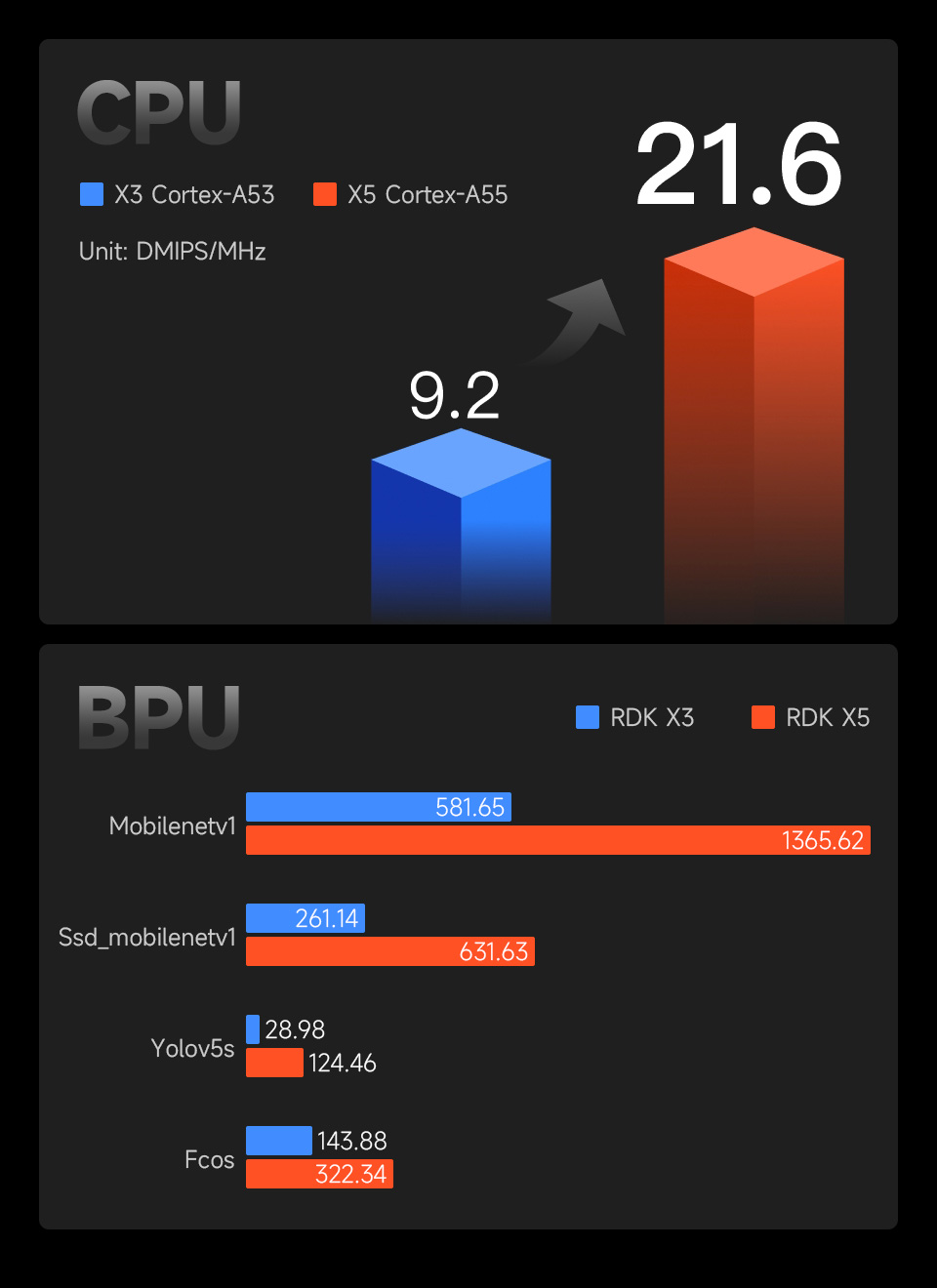
- From CPU to BPU, a comprehensive performance leap significantly enhances the execution speed of intelligent algorithms, providing exceptional computational support for robots
Providing Innovative Solutions for the Robot Era
From intelligent perception to autonomous decision-making, cutting-edge algorithms inject core power into the robotics industry, helping achieve precise and efficient technological breakthroughs.
One Type-C cable can handle hundreds of applications
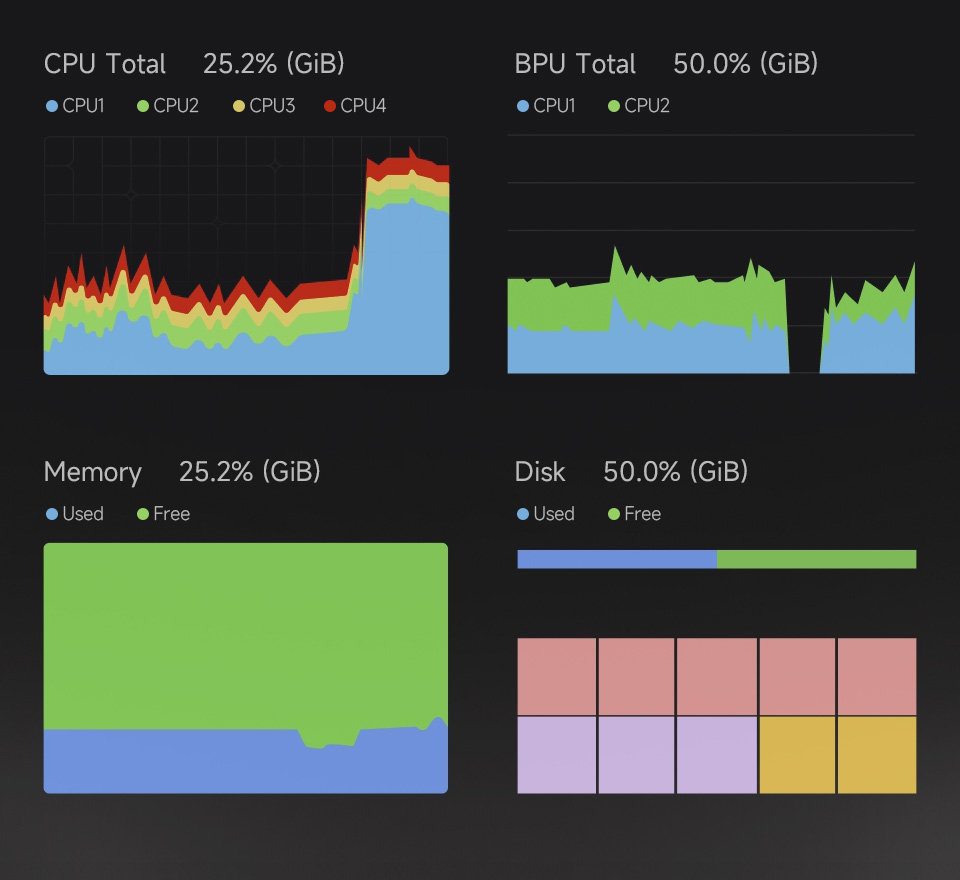
- A single Type-C cable covers the entire development process including system programming, demo execution, application development, desktop display, and hardware monitoring, without the need for complex peripherals and wiring
- RDK is not only a development board, but also a full-stack robotics development platform featuring RDK OS, RDK Nodehub, RDK Studio, and RDK Cloud, making robotics development easier
- Onboard rich robotics development interfaces such as mono/stereo MIPI, USB3.0 × 4, CAN, audio/video, and PWM, etc, eliminating the need for external conversion modules
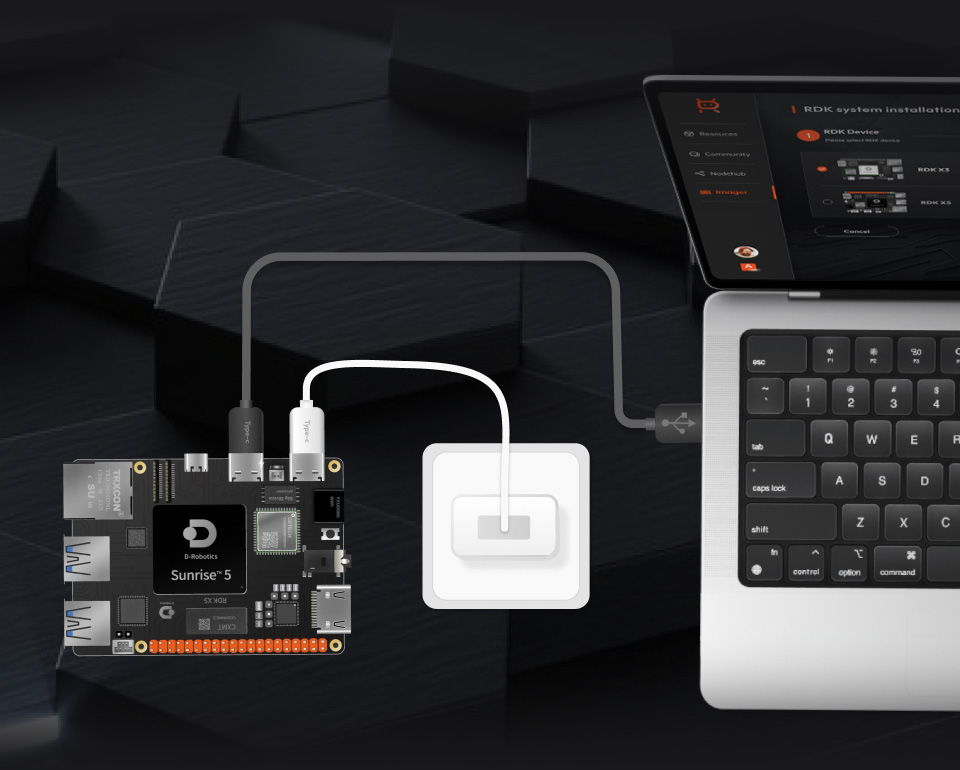
Automatically update the latest RDK OS; a single data cable is all you need for a quick board upgrade
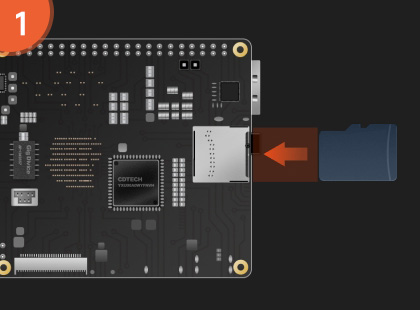 Find the card slot on the back of the board and insert the TF card.
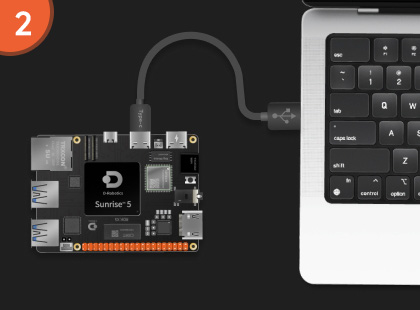 Use a Type-C cable to connect the board to the computer.
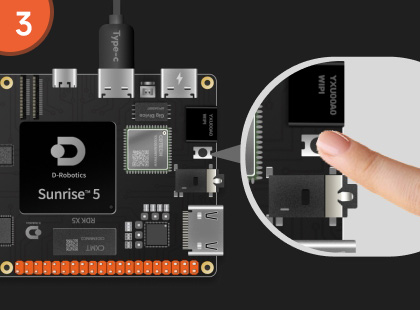 First, press and hold the switch of the board, and then connect to the computer at the same time.
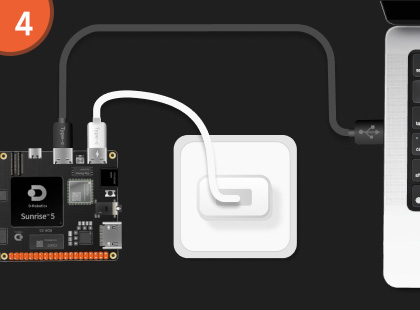 Use another Type-C cable to connect the board to the power supply; release after powering on for 3-5 seconds.
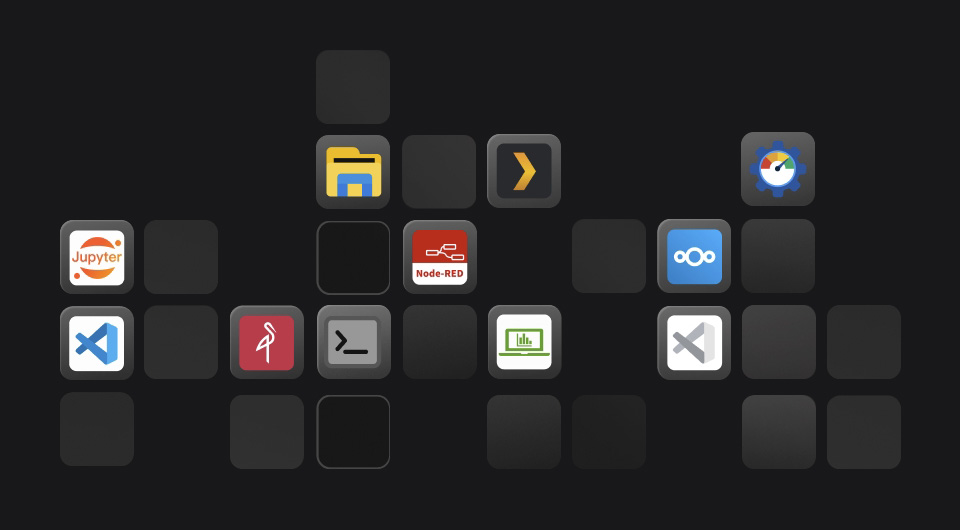
One-click startup of built-in applications on the board, allowing you to focus on development work
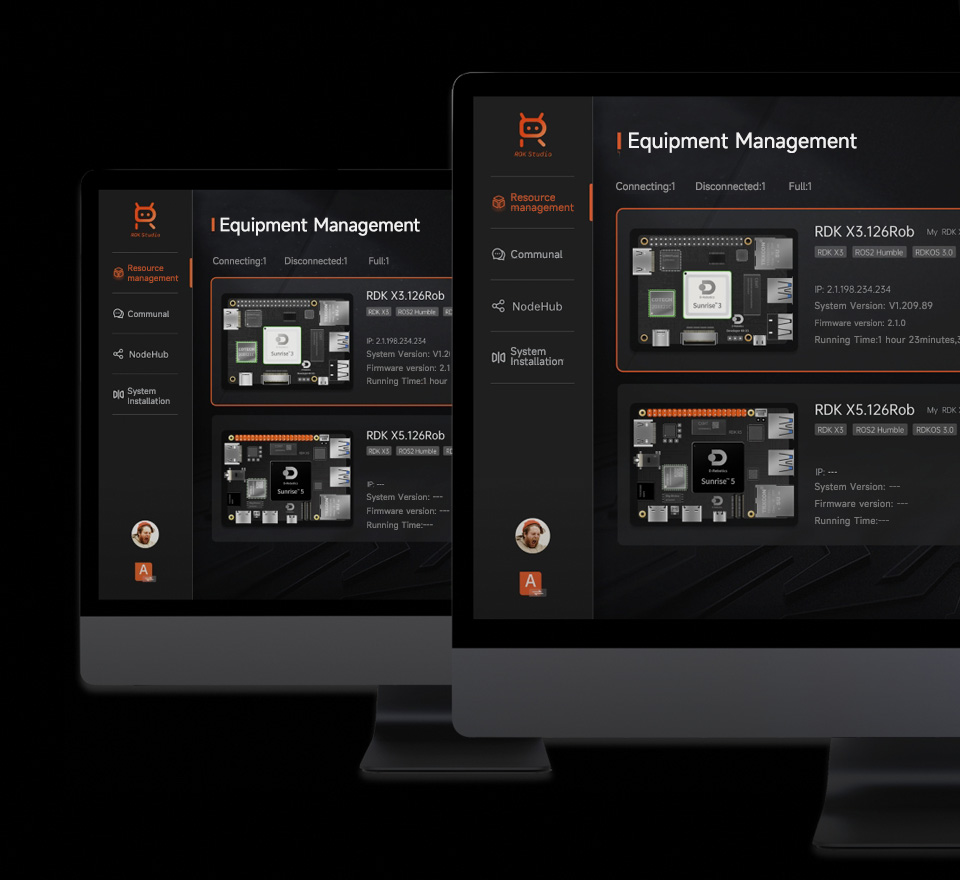
After adding the board to the software, you can quickly retrieve the status of each board
Empowering your robotics journey every step of the way
- With hundreds of accessories and robotics kits, we’re building a rich and diverse ecosystem
- Join a community of over 100,000 developers — where experts gather, questions get answered, and support is always within reach
- With rich content and diverse competitions, from theory to hands-on practice, helping you stay ahead of industry trends and enhancing your technical skills
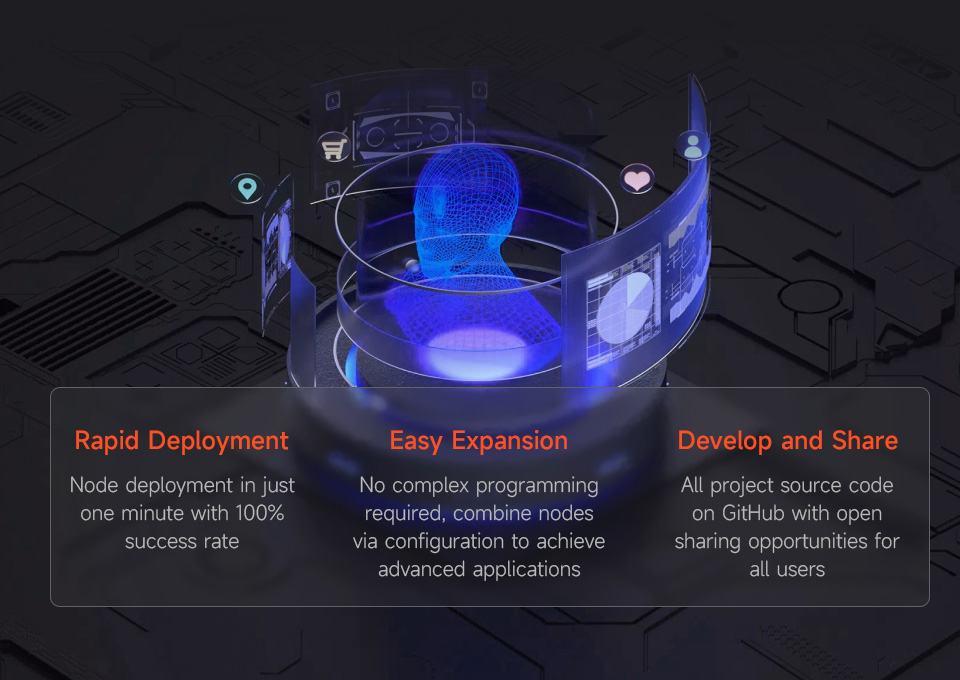
Intelligent Robot Application Center
An intelligent robotics application center tailored for robotics enthusiasts, aiming to empower them to develop their own intelligent robots in a simpler, more efficient, and open manner
You may also like…

RELATED PRODUCTS
-
 SKU: DFR1226-ENT
LattePanda IOTA x86 Single Board Computer with Win11 Enterprise License (Intel N150, 8GB RAM / 64GB eMMC)
SGD $0.00 Read more -
 SKU: DFR0444
LattePanda V1 – A Powerful Windows 10 Mini PC 2GB/32GB (Unactivated)
SGD $246.50 Read more -

-
SKU: DFR1227-ENT
LattePanda IOTA x86 Single Board Computer with Win11 Enterprise License (Intel N150, 12GB RAM / 128GB eMMC)
SGD $0.00 Read more -

-
SKU: DFR1227
LattePanda IOTA Palm-sized x86 Single Board Computer (Intel N150, 16GB RAM / 128GB eMMC) – unactivated
SGD $0.00 Read more -


